Setup the WooCommerce Variations Table Plugin
To configure the plugin you need to go into your Admin Panel > WooCommerce > Variations Table menu item. If you do not see this item, make sure you have the Redux Framework plugin installed.
General Variations Table Settings
In the general settings tab you can enable or disable the plugin. Furthermore you can choose if you want to remove the default variation select and add to cart fields.
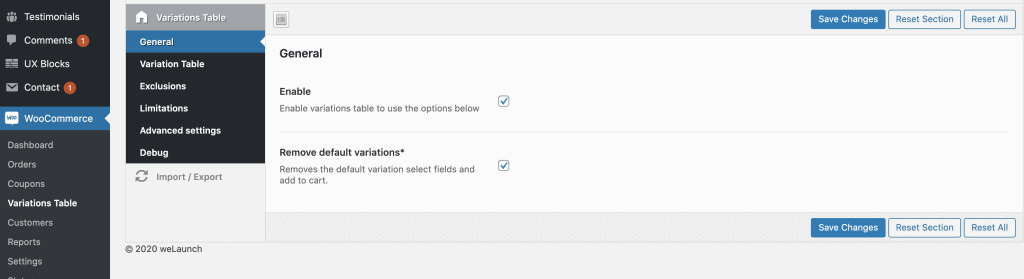
Table Settings
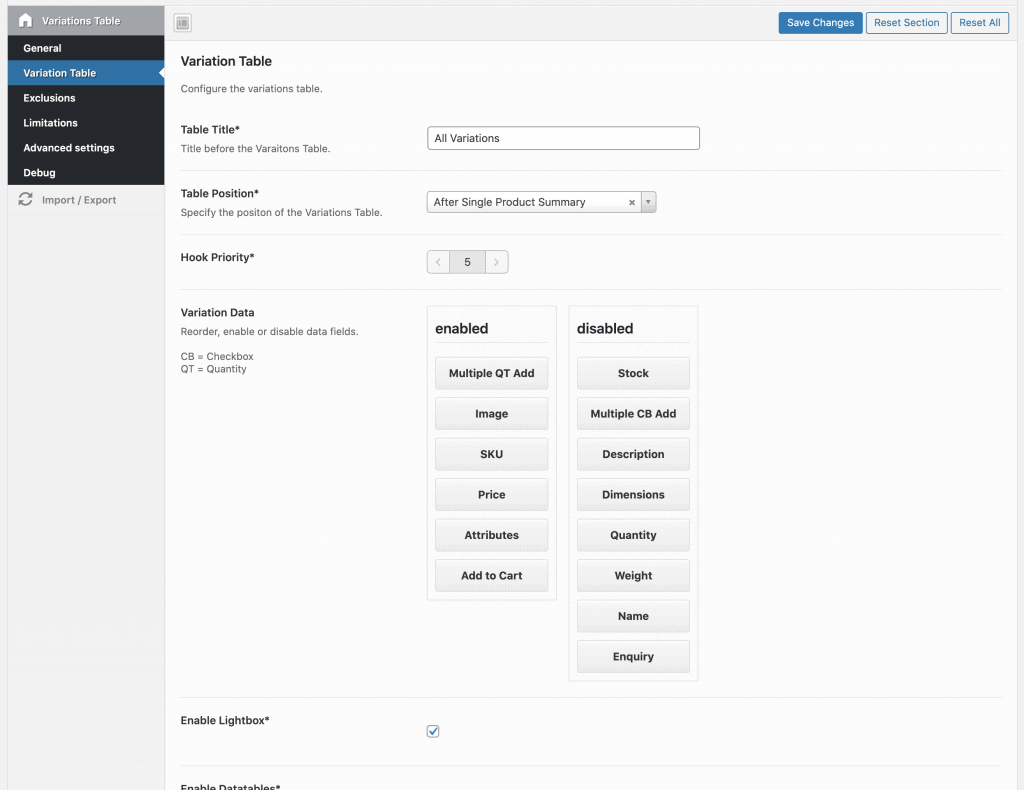
In the “Variation Table”-Section you can configure the table. Here you can set a title for the variables table, set a position of the table and enable / disable / reorder the data fields.
Furthermore you can enable the DataTables option. This allows you to enable sorting, filtering, searching and more for your variations table. Here you can also specify what Export Buttons you want to show (csv, excel, print, copy etc.).
In- and Exclusions
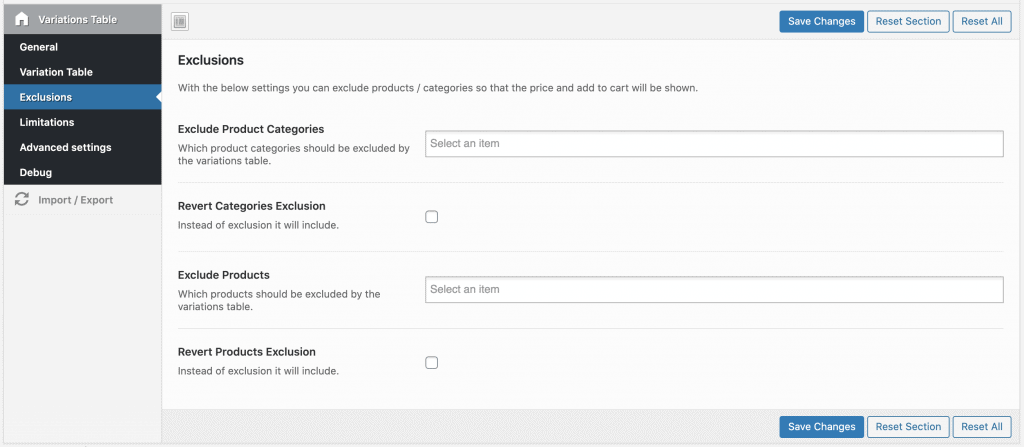
In the exclusions tab you can exclude complete product categories or single products from the variations table. You can also revert the exclusion to make it an inclusion.
Limit Access
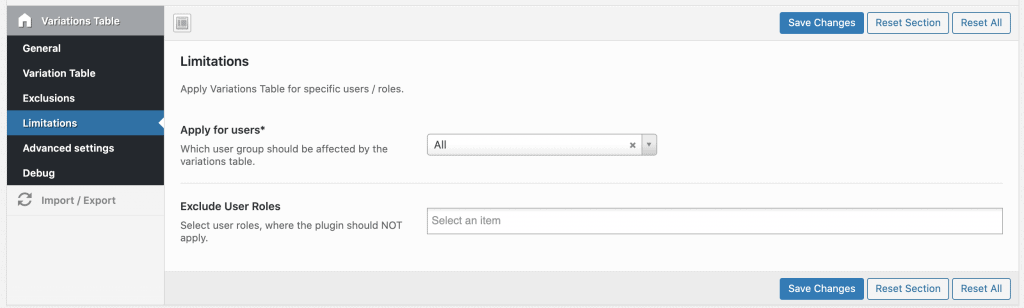
Here you can limit the access / show the tables only to specific user roles for example.
Shortcode
To implement our variations table into custom pages, custom product layout builder or similar you can use our shortcode:
[woocommerce_variations_table product="ID1" products="ID1,ID2" category="CATEGORY_ID"]
Questions & answers (18)
ILIAS KANELLOPOULOSDecember 25, 2025
Can colors displayed as colors or only text?
vkMay 24, 2025
Attribute column is now showing the variations of the product.
How to fix that?
webricksNovember 21, 2023
Hi!
Thanks for the great plugin!
I have one questions: What is the difference between the variation data fields
“Multiple QT Add” and just “Quantity” and when should I use which one?
Thanks in advance!
Kind regards,
Jürgen
DanielNovember 21, 2023
Multiple QT is when you use the add all to cart button for multiple quantities.
Regular quantity is used when you have the add to cart button per variation / table row.
webricksNovember 21, 2023
Thanks!
JanineJanuary 12, 2022
How can I change the total width (pagination) of the variation table?
DanielJanuary 12, 2022
You can use custom CSS for that.
JanineJanuary 14, 2022
I’m sorry, I’m not used to do custom CSS. So can you please write to me what I have to write into the custom CSS field for changing the total width? Thank you!
Massimiliano NotaOctober 14, 2021
Hi, i have a problem with your plugin, when i change a quantity on the table or in the main product quantity selector it changes for every product, can you suggest me something? thanks
DanielOctober 14, 2021
Sound like a theme JavaScript issue. Our plugin does not interference with the quantity adjustments.
Massimiliano NotaOctober 15, 2021
could it be we are using the envato elements version and not the codecanyon one?
the theme is a standard oceanwp theme, i’ll try to change some theme settings and see what happens
Massimiliano NotaOctober 15, 2021
Could be that we are using the envato elements version and not the codecanyon? (probably more updated?) as theme we are using a standard oceanwp, i’ll try to play with theme settings 😉
claudio tropeanoMarch 22, 2021
Hi, i’m trying to add an image banner in category page (it should be in archive-product.php template).
Unfortunately it seems your plugin overwrite it somewhere. How can i cusomize my theme? It is quite annoying honestly.
DanielMarch 22, 2021
What does this has to do with our plugin?
JonathanAugust 22, 2019
The Exclusions area is not showing up, how do I fix that? It is a wordpress site.
MulliNovember 3, 2018
I am using latest versions WP, WOO, OceanWP (theme) as of Nov, 3, 2018
The section: IN- AND EXCLUSIONS is completely missing from admin panel
There is only “Limitations” entry for user roles.
My MAIN concern – plugin display main product BUT NO variations!
Kiyoshi TsujiSeptember 29, 2018
WooCommerce Variations Table
Purchase code: 3de51bb8-bd57-4b2b-be8a-59aef9b1d99c
********************
Hello,
After activating “Variations Table”, we can not see the test site with chrome.
(400 Bad Request / Request Header Or Cookie Too Large)
In Firefox I can see the site without problems.
http://niguramu.xsrv.jp/wp/products/0125-coal_bag/
Also, there was a problem that products without inventory using “Variations Table” entered the cart.
————-
Other problems:
If you deactivate “Variations Table”, all of these standard WooCommerce plugins will be displayed correctly.
-WooCommerce Points and Rewards(woocommerce)
-WooCommerce Waitlist(woocommerce)
-WooCommerce WishLists(woocommerce)
-Beeketing For WooCommerce(Third party:Beeketing)
————-
Is it possible to fix these problems?
Best regards,
WeLaunchOctober 7, 2018
Hi there,
1) The 400 Error should be fixed by increasing the “large_client_header_buffers” Variable in nginx. See here
2) Regarding the other plugins > go to our plugin settings. Then uncheck “Remove default variations”. This will bring back the WooCore standard functionalities.